SFTP Gateway
What is the SFTP Gateway?
The SFTP Gateway lets you expose any storage over SFTP. From the point of view of your users, Filestash looks like a standard SFTP server that convert the incoming SFTP traffic to anything you have downstream, be it S3, NFS, SMB, FTP, local filesystem, virtual filesystem, etc…
Configuration of the gateway
We will assume you have already followed the configuration guide here. The only things specific to the SFTP gateway is available from /admin/settings under Features:
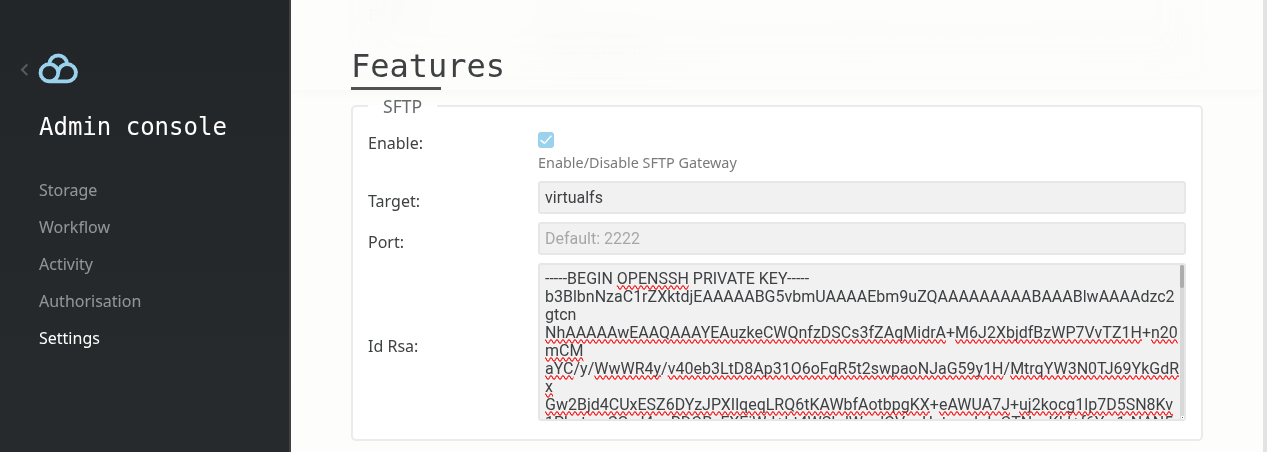
The only things you need to look after are:
- make sure it is enabled (and restart if not)
- add your private key. To generate one:
ssh-keygen -t rsa -f id_rsa_sftp
Working Example
We have configured the storage section with our virtual filesystem:
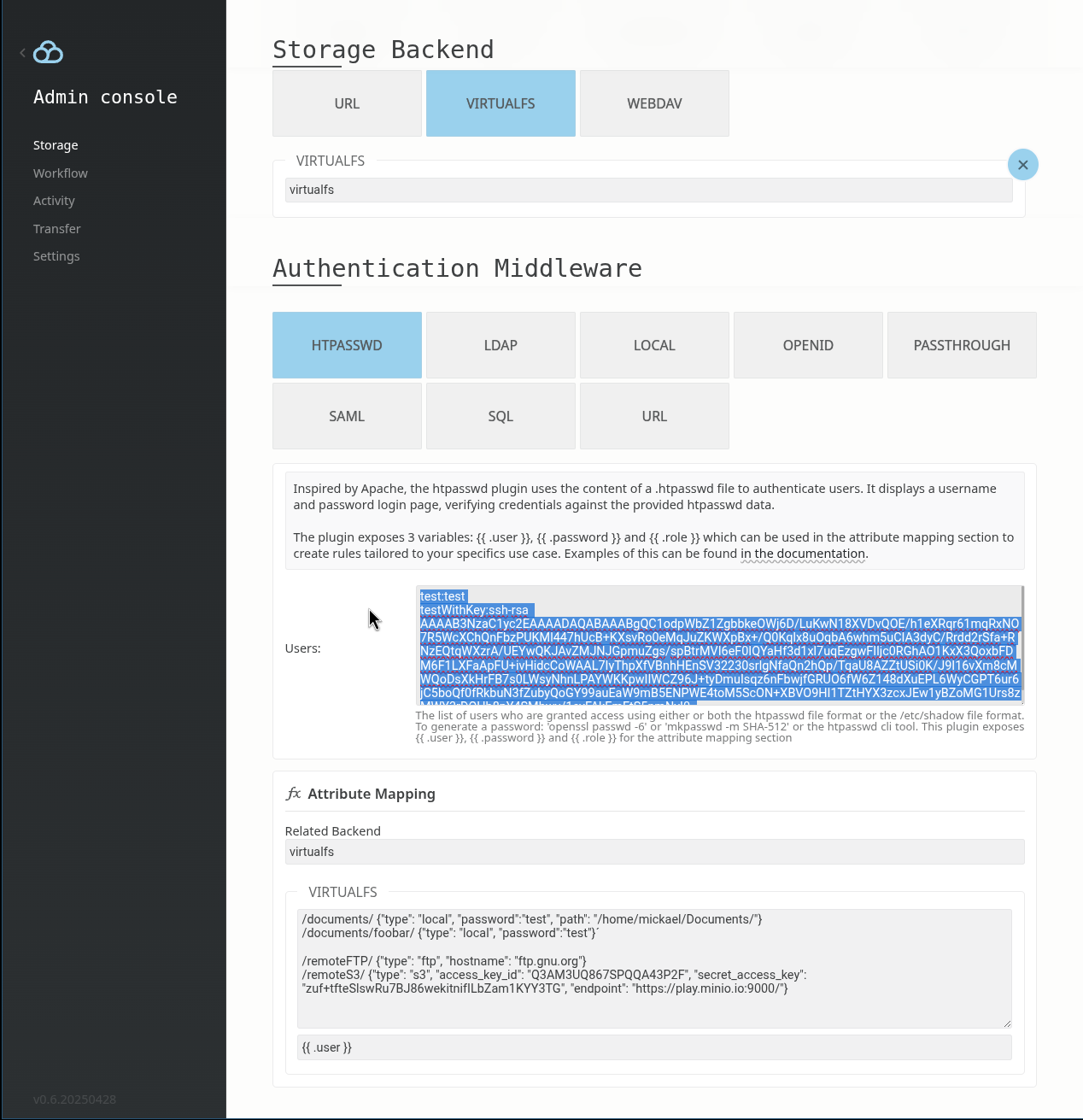
With this setup you can connect with your favorite SFTP client:
test@127.0.0.1's password:
Connected to 127.0.0.1.
sftp> ls
documents remoteFTP remoteS3
sftp> documents/foobar/
documents/foobar/bin documents/foobar/boot
documents/foobar/core documents/foobar/dev
documents/foobar/dist documents/foobar/etc
...
sftp>
And yes, it does support private key authentication as well:
Connected to 127.0.0.1.
sftp> ls
documents remoteFTP remoteS3
sftp>
Note: The gateway do its best to work with all authentication middleware but some of them might need some extra setup for more advanced use cases like having your keys to be store in AD or when using OIDC (a SFTP client is not a browser, hence you can’t use the classic grant_type=code but need to ensure your IDP allows the password grant_type).