Guide to the workflow engine
The workflow engine is about “doing things when something happens”. Split that sentence and you have two pieces:
- “doing things …“: the actions to run, like notifying someone over email, making an API call, etc.
- “… when something happens”: the trigger that starts the workflow, like a webhook, a scheduled time, a file event, etc.
The general mental model is:
[trigger] -> [actionA] -> [actionB]
The trigger produces data, actions consume and transform it, each step feeding the next. To see the workflows you have set up, head to /admin/workflow:
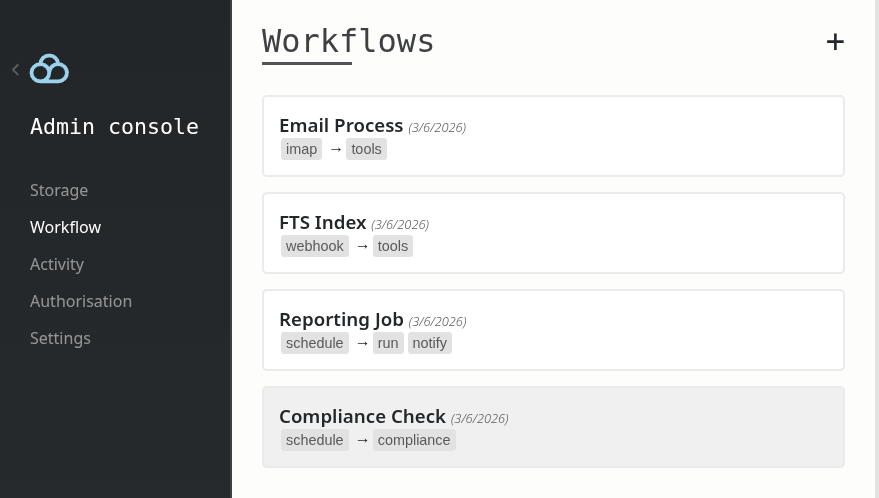
Triggers
A trigger defines when a workflow needs to run. While we ship with standard triggers based on file events, filesystem changes, webhooks and time-based schedules, there are other niche ones for triggering workflows when you receive an email with an attachment, when a user session changes, etc.
Things get interesting when plugins create their own triggers. Take the comment plugin as an example: it has a mention-based trigger that lets you control what happens whenever somebody mentions someone else while commenting on a file, which is handy for connecting to Slack, email, or any messaging app you want to hook into.
How to make your own trigger: if you look under the hood, a trigger is nothing more than an implementation of this interface:
type ITrigger interface {
	Manifest() WorkflowSpecs
	Init() (chan ITriggerEvent, error)
}
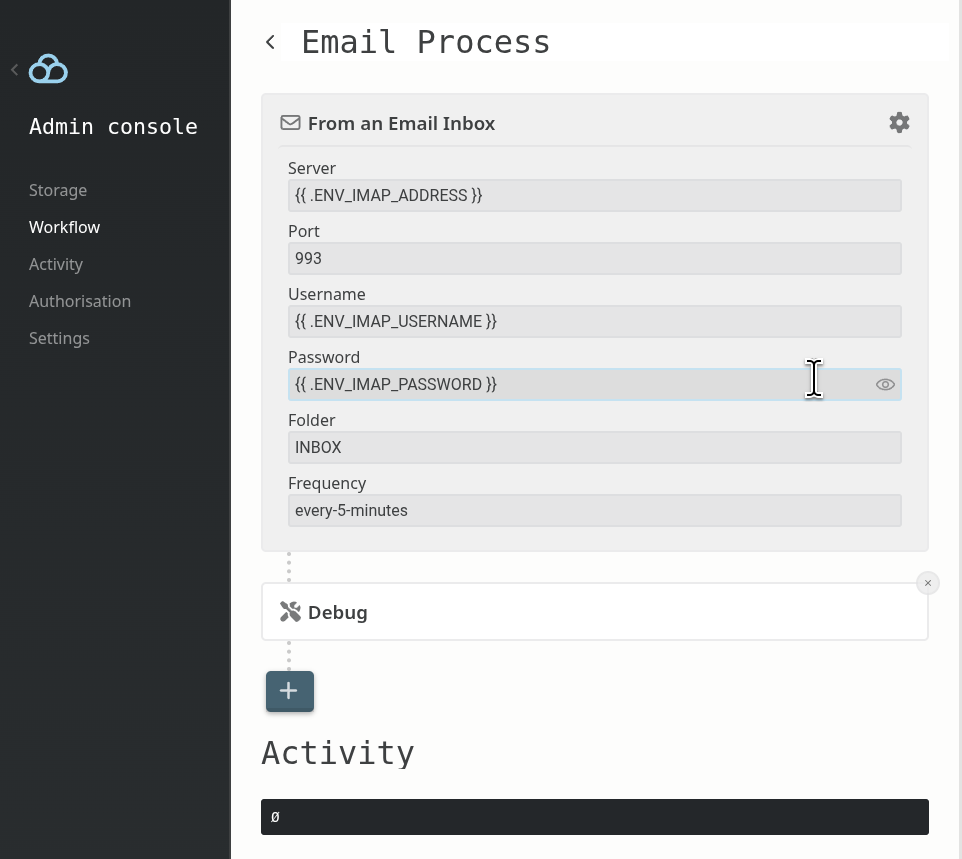
Create your own and register it as a plugin by calling Hooks.Register.WorkflowTrigger and you are good to go. Any configuration you expose to administrators goes through the template engine, meaning admins can pass environment variables directly and your code will see the expanded result:
Actions
Actions are what run once a trigger fires. Each action receives the data produced so far, does its thing, and passes the result to the next step. Chain as many as you need. We ship with a couple standard actions to send emails and make HTTP calls but things get interesting when plugins register their own actions.
For example, the built-in full-text search engine defines its own action to rebuild the index.
How to make your own action: an action is nothing more than an implementation of this interface:
type IAction interface {
	Manifest() WorkflowSpecs
	Execute(params map[string]string, input map[string]string) (map[string]string, error)
}
Create your own in a plugin and register it by calling Hooks.Register.WorkflowAction. The input map is what the previous step passed down, params is what the admin configured, and whatever you return becomes the input for the next action.