A Filesystem for Agents
Files have become the global state agents work from: they use standard unix tools to explore and affect the underlying storage.
Recently, the CEO of NVIDIA said: « when you deployed an agent … the first thing you do is you take away all of its rights … then you provision, you give it access to files …». Dropbox pioneered the idea of “a folder that syncs across your devices”. We are taking that idea further, into the age of autonomous agents acting on heterogeneous storage, and adding the necessary controls to prevent the far west. Using our control plane, you make sure agents can only ever see what they are explicitly allowed to see and only update what they were given access to.
How does it go today?
You have agents accessing various storage and systems, each coming with its own way to authenticate and its own authorisation mechanism, and none of it fits together: your S3 bucket authorisation can only be set through IAM, your SFTP via chmod and chown, and let’s not even talk about Salesforce or ServiceNow. Things get messy real quick when silos don’t speak to each other.
Least privilege is easy with one system, much less so with 5, and even less so with 50, 100 or 10k.
How do we solve the problem?
Filestash aggregates your silos into one logical view of your data and gives you the standard controls to decide “who can do what and where” in one single place:
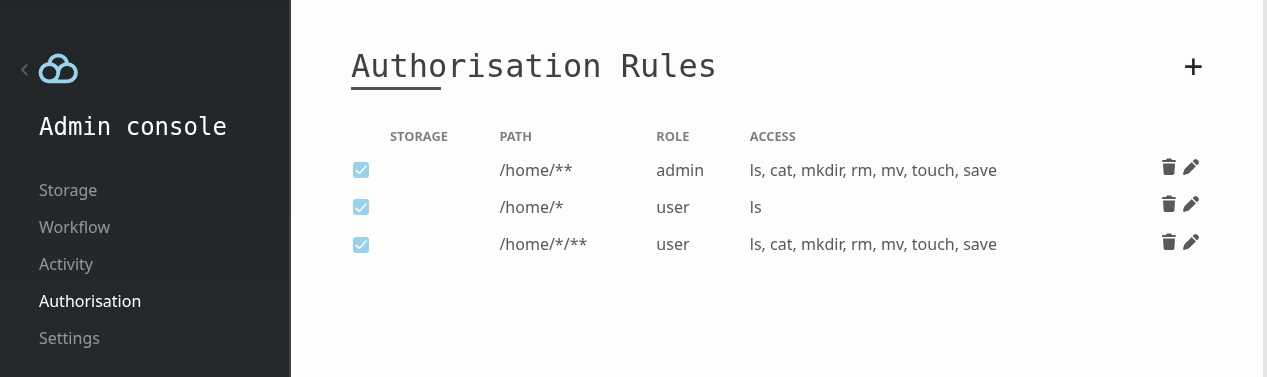
We make this possible through our control plane, which acts as a file access layer where you connect various storage together and attach controls around your data.
Example
Using Docker:
~/$ export FILESTASH_SERVER=https://demo.filestash.app
~/$ export FILESTASH_TOKEN=uKzArshpw49Pta2tJZmg1mywkHcmimpW4lCjtVDNTbUFpmN0W2PXajSRR_fA5VrRr4Ks1S5SHwn9YffL74qRrVr1jssRUCXp4_uZdItrYUhQegWAGh5xT45-DgHowJb5aFtO-nODOMpFa6Y84Sit7za3GyM1miEpYm0wWgVucCs4tA==
~/$ docker compose -f - up <<EOF
services:
agent:
image: alpine
command: ["ls", "-la", "/mnt"]
volumes:
- files:/mnt
volumes:
files:
driver: fdrive
driver_opts:
server: ${FILESTASH_SERVER}
token: ${FILESTASH_TOKEN}
EOF
[+] up 2/2
✔ Volume app_files Created 0.1s
✔ Container app-agent-1 Created 1.1s
Attaching to agent-1
agent-1 | total 5
agent-1 | drwxr-xr-x 1 root root 0 Jan 1 1970 .
agent-1 | drwxr-xr-x 1 root root 4096 Oct 12 11:08 ..
agent-1 | drwxr-xr-x 1 root root 0 Jun 17 2025 Documents
agent-1 | drwxr-xr-x 1 root root 0 Jun 6 2020 Music
agent-1 | drwxr-xr-x 1 root root 0 Apr 9 2025 Pictures
agent-1 | -rw-r--r-- 1 root root 281 Jun 6 2020 README.org
agent-1 | drwxr-xr-x 1 root root 0 Jun 6 2020 Videos
agent-1 exited with code 0
Outside Docker, you can use plain Linux commands, the MCP gateway or the Container Storage Interface (CSI) driver for Kubernetes. Under the hood, Filestash acts as a stateless proxy to your data, not yet another silo. Behind that folder, you decide what the agent can see, what it is allowed to do, and whether the data gets synced locally. That folder is not necessarily a single location: it can be an aggregation of any storage put together via our virtual filesystem.
Failsafes for when the agent screws up
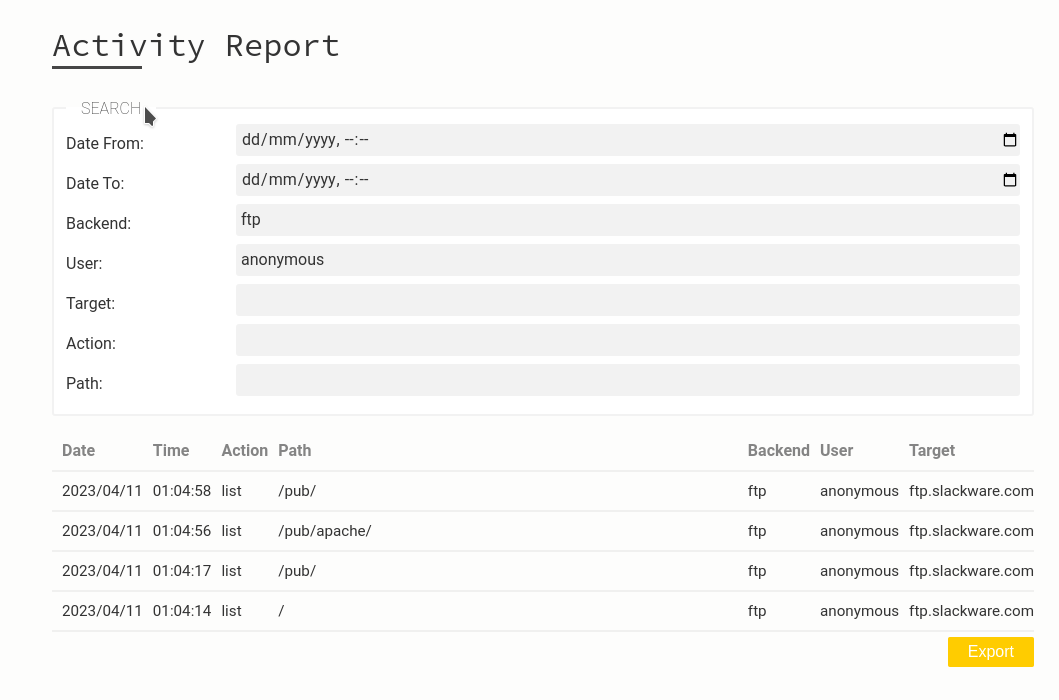
You keep track of what the agent did with an audit trail that tells you what it tried, what was allowed and what was blocked, in a tamper-evident log with hash chaining and trusted timestamps. Even if the agent messes up something it has access to, you have versioning, a trash folder, and the workflow engine to react to things as they happen in real time.
Lastly, when an auditor knocks asking what your agents did, you have the audit trail in place to accurately answer: what it tried, what was allowed, what was blocked, in tamper-evident logs with hash chaining and trusted timestamps.
Is this for you?
If all your data lives in a single place that already handles the necessary controls and monitoring, you probably don’t need us. If things aren’t that simple, with controls and monitoring to handle across data spread in various places, or if you need to prove to a regulator what your agents did, let’s talk.
